MetroList Download 13.6.3: Official APK and Safe Install Guide
Find the verified Android APK, confirm the release details, install it without fake EXE or IPA files, and know what to do when a download or update fails.

In this guide
What should you download?
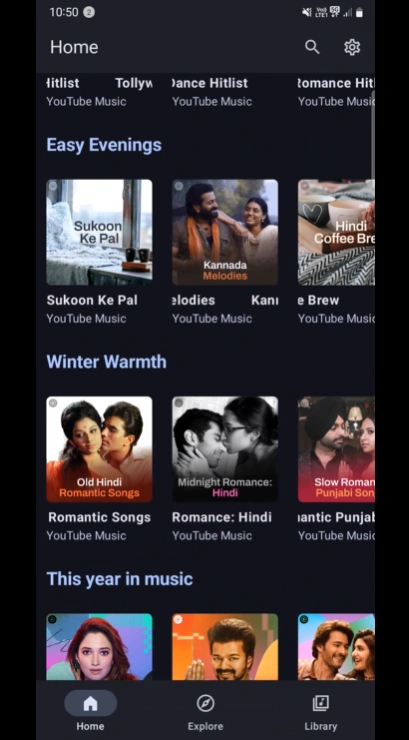
If you searched for MetroList download or MetroList APK download, start with the standard Metrolist.apk file in the official GitHub v13.6.3 release. It is the normal Android package for users who want the music client without an extra desktop wrapper. The direct button on this page points to that specific published asset, while the release page remains the durable place to check future versions.
This page is intentionally narrow. It explains the download decision, version evidence, Android installation, and common failure states. It does not claim that MetroList has a native Windows, macOS, iPhone, or browser version. If a site asks you to download an EXE, a configuration profile, an IPA, or a password-protected ZIP to get MetroList, treat that as a different product or a warning sign.
The important distinction
Downloading the MetroList app means downloading an Android APK. Downloading songs inside the app is a separate feature with its own storage, account, and service limitations.
MetroList v13.6.3 release details
The official GitHub API was checked on August 13, 2026. It returned v13.6.3 as the latest release, published on August 7, 2026. The release note describes this build as a hotfix for broken lyrics and the media controller. That is a more useful freshness signal than a third-party page that keeps an older number in its title, so compare the tag, asset name, and file metadata before installing.
The table below describes the standard asset used by the main button. The size is the exact GitHub release metadata value, not a guessed CDN filename or a rounded number copied from an old page. GitHub may redirect the stable asset URL to a signed delivery address while serving the file; the public release URL is still the correct long-term link to publish.
| Field | Verified value |
|---|---|
| Latest checked release | v13.6.3 |
| Published | August 7, 2026 |
| Standard file | Metrolist.apk |
| File size | 24,146,395 bytes (about 23.0 MiB) |
| Platform | Android APK |
| Main download | Official GitHub release asset |
| Release note | Hotfix for lyrics and media controller issues |
Release data checked on August 13, 2026 from the official v13.6.3 release.
How to verify a MetroList download
A safe MetroList download is not defined by a colorful button or by the word official in a page title. The useful check is whether the file can be traced to the MetrolistGroup/Metrolist release stream. Open the release page, confirm that the tag is v13.6.3, and look for an Android package with the expected filename. If a page offers a different package name, a modded build, an EXE, or an installer that asks for a survey before showing the file, do not treat it as the same asset.
The illustration shows the evidence chain used for this page: identify the Android package, trace it to the source repository, compare the version and size, and only then install it. The important information is also written in HTML so the image is not the only place where the safety process appears.
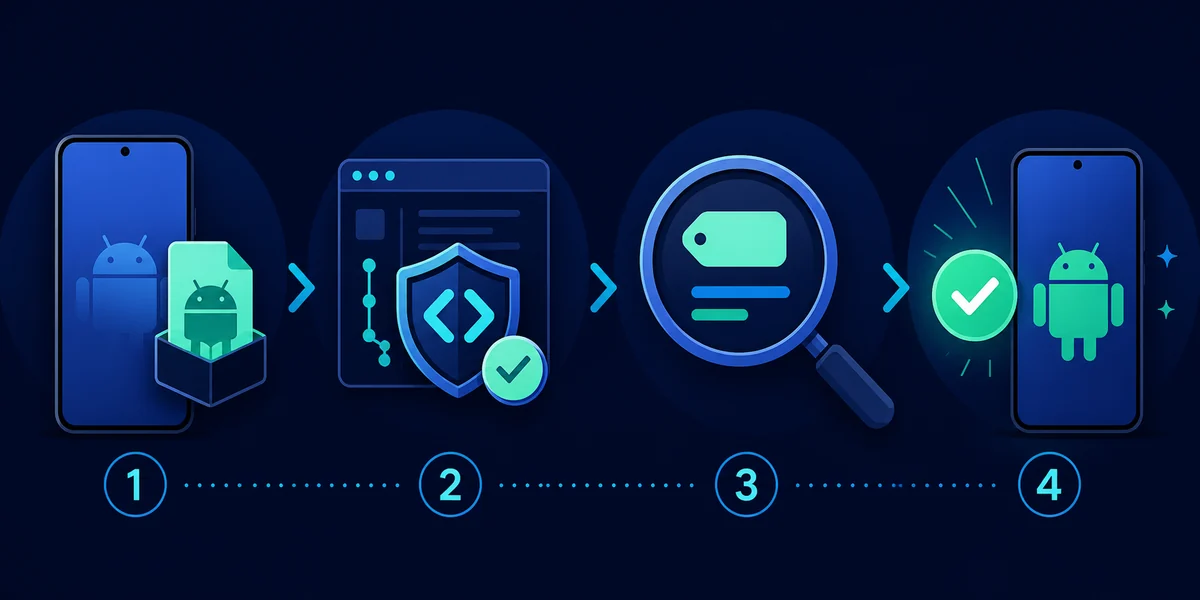
- Open the source — Use the MetrolistGroup/Metrolist GitHub repository or its Releases page, not an untraceable mirror.
- Match the tag — For this check, the release tag is v13.6.3 and the published date is August 7, 2026.
- Match the asset — The standard package is named Metrolist.apk and its release metadata size is 24,146,395 bytes.
- Reject wrong formats — MetroList is distributed as an Android APK here; do not install an EXE, IPA, browser extension, or suspicious profile as a substitute.
The direct standard APK link is convenient for the current release, but it should never replace rechecking the official release page when you install a future version. Release assets can change, and an old bookmark can become stale even when the URL still looks familiar.
How to install MetroList APK on Android
Android may block an APK downloaded outside the Play Store until the browser or file manager is allowed to install unknown apps. The exact wording differs between Android versions and phone manufacturers. Enable the permission only for the app you are using to open the file, install the package, and turn the permission back off if you do not plan to sideload another APK soon.
Before installing over an older MetroList build, confirm that you have the right account and backup information available. A normal update usually keeps the app data when Android accepts the package as the same application, but a mismatched or modified package can behave differently. If the installer says the package cannot be parsed or conflicts with the existing app, stop and verify the source rather than deleting random files.
- Check the device — Use a supported Android phone or tablet with enough free storage for the APK and app cache.
- Open the verified link — Use the standard v13.6.3 GitHub asset or the official release page, then wait for the APK download to finish.
- Allow the installer — If Android asks, open Settings and allow your browser or file manager to install unknown apps. Do not enable a broad permission for unrelated apps.
- Install the package — Open Metrolist.apk from Downloads, review the Android installer screen, and tap Install only when the filename and source match.
- Open and test — Launch MetroList, test a normal stream, check the library, and confirm that background playback or other features work before relying on the app offline.
Do not confuse an update with a clean install
Installing the same official package over the previous build is an update attempt. Uninstalling first can remove local app data, so use that as a troubleshooting step only after checking backups and the source.
Which MetroList APK file should you choose?
The v13.6.3 release lists more than one Android asset. Most users should start with Metrolist.apk because it is the standard package and the only file used by the primary verified CTA on this page. The Google Cast build is for people who specifically need the Cast variant, while the Izzy package is another release asset with its own naming and distribution context.
Do not choose a file solely because it is larger, has the word premium in a mirror title, or promises unlocked features. Compare the exact filename on the official release page. If you need a special build, open the release page and make the decision there rather than copying a temporary signed CDN URL into a new bookmark.
| Asset | Release metadata | Who should use it |
|---|---|---|
| Metrolist.apk | 24,146,395 bytes | Default choice for a normal Android installation |
| Metrolist-with-Google-Cast.apk | 25,774,469 bytes | Users who specifically need the Cast-enabled variant |
| Metrolist-izzy.apk | 24,142,299 bytes | Users who understand the release variant and its source context |

MetroList app download vs downloaded songs
Several searches use the word download for two different tasks. MetroList download and MetroList APK download usually mean obtaining the Android installer. Questions such as where MetroList saves downloaded songs or whether MetroList can download music refer to the in-app offline feature instead. A download guide should answer both meanings without promising that an APK is a music file.
The APK is an installable application package. It does not contain a permanent copy of every song in the service, and installing it does not automatically make every track available offline. Song caching depends on the app, account, network, storage, and the current service behavior. For offline playback details, use the dedicated offline guide after the app itself is installed.
- App download — A file such as Metrolist.apk that Android installs as the MetroList application.
- Song download — An in-app cache or offline action that may depend on storage, account state, and service availability.
- Storage location — Do not assume a public Music folder. Android storage rules and app cache behavior can vary by release and device.
- Safe expectation — Keep the official APK source and the in-app offline instructions as two separate checks.
MetroList download and install troubleshooting
Most failed installations fall into a small number of categories: an incomplete download, a blocked unknown-app permission, a package that does not match the device, an older modified build, or an incorrect file presented as MetroList. Start with the official release page and the filename. Do not keep retrying a suspicious installer just because it shows a countdown or a fake scan result.
If the app installs but playback or lyrics are broken, first test the current stable release on a normal network. The v13.6.3 notes specifically mention a lyrics and media-controller hotfix, so updating from an older build may be more useful than changing unrelated Android permissions. If a problem remains, record the Android version, device model, asset name, and exact error before opening an issue in the official project.
- Download stops early — Delete the incomplete file, use the official release page again, and confirm that the final file name ends in .apk.
- App not installed — Check free storage, Android compatibility, the install-unknown-apps permission, and whether an incompatible package is already installed.
- Package conflicts — A modified or differently signed build may conflict with the official package. Verify backups before uninstalling anything.
- No audio after update — Test playback on the phone, check network access, and review the official release notes before changing account settings.
- Lyrics or media controls fail — Make sure the device is using the v13.6.3 stable package, then restart the app and report reproducible issues through the official repository.
- A page offers an EXE or IPA — Stop. The release verified here is an Android APK; use the PC or iPhone guide to understand the platform limitation instead.
MetroList download FAQ
Sources checked
- Official MetroList v13.6.3 release — Release tag, publication date, notes, and listed assets.
- MetroList source repository — Project identity and source context.
- Stable Metrolist.apk asset — Primary direct download used by this page.
Verified August 13, 2026